Prove identity simply
Shareholders sign in with a registered mobile number and an OTP, with limits on attempts, resends and request volume.
 ATOMENOS03 / 07
03 — CASE STUDY / SRI NAVANEETHA KRISHNAR ENTERPRISES — SHAREHOLDER PORTAL
A private, mobile-first portal where shareholders sign in with a one-time password and view their holder details and share certificates, with a secure server-side backend behind it.
A company’s shareholders each hold share certificates tied to a folio, a certificate number and a range of distinctive numbers. The brief was to give shareholders a private place to see that information for themselves, from a phone, without the company publishing it openly.
That meant proving who is asking before showing anything, and doing it with something shareholders already have: the mobile number registered with the company.
The company’s own certificate formats and a structured shareholder dataset, held as a spreadsheet of people and a spreadsheet of certificate transactions. The portal had to be built around that real data shape rather than an idealised one.
Two facts decided a lot. One mobile number can legitimately belong to several shareholder profiles. And a certificate number is only unique within a shareholder’s folio, not across the company. Both are handled deliberately in the system.
Shareholders sign in with a registered mobile number and an OTP, with limits on attempts, resends and request volume.
A single mobile number can map to more than one shareholder profile, so access has to be chosen and enforced on the server.
Every certificate lookup is scoped to the signed-in profile, because certificate numbers can repeat across folios.
Shareholder records arrive as spreadsheets and have to be validated and reconciled before they reach the database.
The portal is a mobile-first Next.js application backed by a FastAPI service and a PostgreSQL database. A shareholder enters their registered mobile number, receives an OTP by SMS and, once verified, sees their holder details and certificates. Certificates are rendered from the company’s template and can be downloaded as PDF.
The only public screen is the sign-in page: company branding, a registered-mobile-number field and a Send OTP action. Nothing about any shareholder is visible here.
Holder details, Initial Deposit and Post Deposit certificates, a certificate view and PDF download, all fetched from the backend for the authorised profile only.
The frontend is deployed on Vercel and sends API calls to its own /api/backend/* path, which Next.js rewrites to the backend. The backend runs in Docker on a Hostinger VPS behind Traefik with HTTPS. It owns authentication, authorisation and all data access, and is the only component that talks to PostgreSQL and to the SMS provider. The database sits on a private Docker network and is not exposed publicly.
SYSTEM ARCHITECTURE — BROWSER, VERCEL FRONTEND, VPS BACKEND, DATABASE, OTP PROVIDER
PUBLIC SCREEN
Registered mobile number field with a +91 prefix, a Send OTP action and a private-access notice.
AFTER SIGN-IN
OTP sent by SMS and verified by the backend, with expiry, attempt, resend and rate limits.
Where a number links to several profiles, the shareholder picks one and can switch without signing in again.
The authorised profile’s details and holdings summary, calculated from certificate records.
Certificates grouped by deposit type, each with a detail view.
The company’s certificate template combined with the holder’s values for folio, number, shares and distinctive numbers.
Certificates can be downloaded as PDF files.
Sessions live on the server and end on logout or after 8 hours.
An internal Excel importer checks headers, duplicates, totals and ranges, and never silently overwrites conflicting records.
A pytest suite covers the health check, data models, the importer and the member API.
Enter the registered number, enter the OTP, and land on holder details. From there, open a deposit type, then a certificate, and download it if needed.
After the OTP is verified, a short-lived selection step lets the shareholder choose a profile. The server checks that the choice is one the number is authorised for before creating the session.
The browser holds an HttpOnly cookie; the server stores only a hash of the session token. No token sits in JavaScript-readable storage.
State-changing requests such as profile selection, switching and logout carry a CSRF token.
The backend decides which profiles a session may use. A profile ID sent from the client is checked, not assumed.
Certificates are identified by member plus certificate number, and the database enforces that pair as unique.
Holdings are calculated from the transaction records, so there is no second set of totals to drift out of sync.
Routing calls through a Next.js rewrite keeps the backend address out of individual API calls.
Sign-in with a registered mobile number, with server-enforced limits.
One mobile number can safely serve several shareholder profiles.
Certificates viewable and downloadable by the shareholder they belong to.
WE DON’T CLAIM SHAREHOLDER COUNTS, ADOPTION OR TIME SAVED. THE ABOVE DESCRIBES WHAT WAS BUILT.
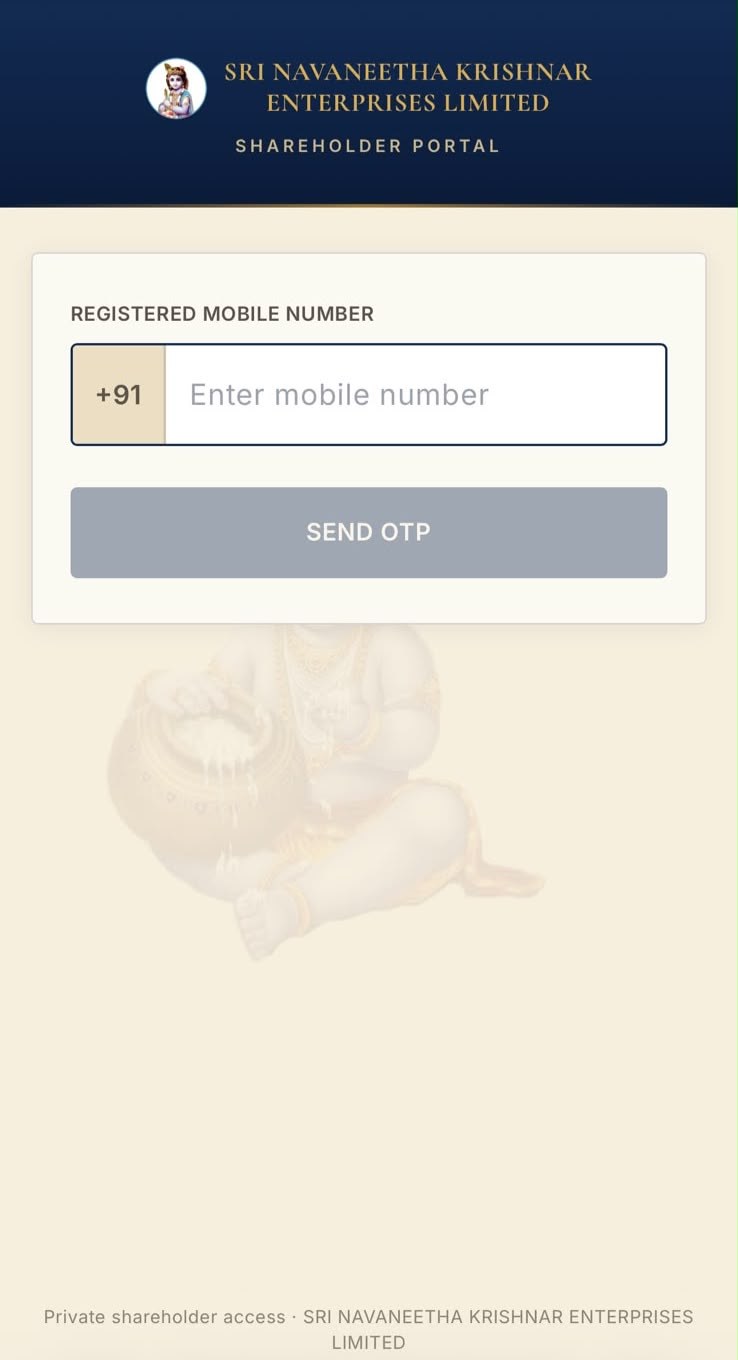
REAL SCREENSHOT — THE PUBLIC SIGN-IN SCREEN
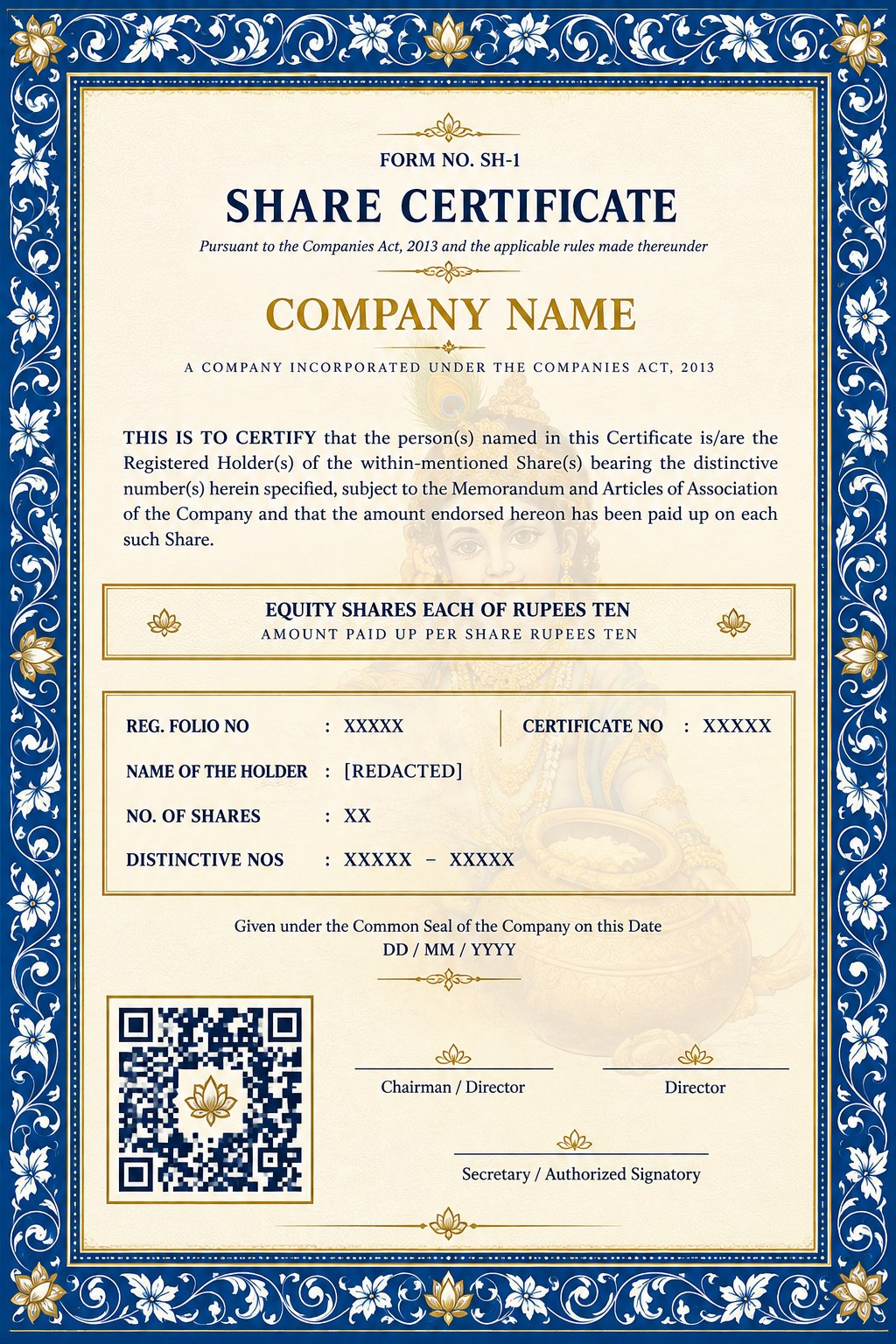
ILLUSTRATIVE AI-GENERATED SHARE CERTIFICATE DESIGN — PLACEHOLDER INFORMATION ONLY.
The portal itself is private. We show only the real public sign-in screen alongside an illustrative, AI-generated certificate design; dashboards and certificates with real holder details are deliberately left out.
Non-unique mobile numbers and per-folio certificate numbers were design inputs, not edge cases.
OTP checks, sessions and provider keys live in the backend, never in the browser.
Reconciling spreadsheets before they touch the database keeps bad records out.